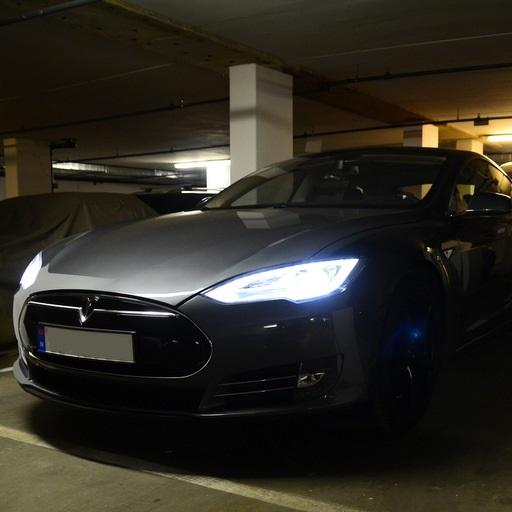
scan my tesla
Rating breakdown
TL;DR
The "Scan My Tesla" app is generally well-received by users who find it provides valuable insights into their Tesla vehicle's performance and health. A significant strength is the detailed data it offers, allowing users to diagnose issues and understand their car's inner workings. However, the app has some weaknesses, primarily related to connectivity issues, lack of clear initial instructions about required hardware, and occasional software glitches. The overall sentiment is positive, reflected in the high percentage of 5-star reviews (62%), though the 1-star reviews (16%) highlight significant usability problems for some users. The score distribution is heavily skewed towards positive ratings, but the negative reviews point to areas needing improvement.
Customer Reviews (100)
Although some points are not tracked, many are. Enough to diagnosis a failed evaporator thermistor that was causing my compressor to run at 70% all the time. Tesla wanted to replace my compressor for 1400$, the evaporator thermistor cost 2$ and 6 minutes to swap it out.
this app is amazing! I am still working out which signals to use most on a daily basis. I would also highly recommend the MX+ Bluetooth module. Thanks for making the detailed data and functions available to be seen!
Request refund
Data & Methodology Overview
- Data Sample Size: 100 reviews
- Time Frame: Not explicitly stated, but the reviews appear to be relatively recent (within the last few years, judging by model years mentioned).
- Analysis Methods: The analysis involved sentiment analysis (identifying positive, negative, and neutral tones), keyword extraction (identifying frequently used words and phrases related to features, issues, and requests), and thematic analysis (grouping reviews based on common topics and sentiments).
Key User Pain Points
- Connectivity Issues: Frequent complaints about Bluetooth connection problems, especially with specific OBD2 adapters (e.g., ELM327). Some users report the app freezing or crashing upon connection.
- Hardware Requirements Unclear: Many users are frustrated that the app description doesn't explicitly state the need for a separate OBD2 adapter and cable before purchase. This leads to negative reviews and refund requests.
- Software Glitches: Reports of the app freezing, crashing, displaying incorrect data, or specific features not working (e.g., radiator fan RPM, DC-DC output power).
- Lack of Support/Responsiveness: Some users report difficulty getting support for connection issues or hardware problems.
- Incompatibility with Certain Hardware: Some users report that the app does not work with certain OBD2 adapters or WiFi dongles that they expect to be compatible.
Frequently Requested Features
- Data Logging/Download Functionality: A common request is the ability to download data logs for further analysis.
- Improved Dashboard/UI: Users want a more customizable and user-friendly dashboard, potentially mimicking a real-time display behind the steering wheel.
- Official Model Y Support: Some users explicitly ask for official Model Y support within the app (even though the description states to select Model 3 for now).
- Enhanced Data Display: Requests for tolerances, upper/lower limits, and explanations for individual data fields.
- Wifi Panda Access: Users are asking for support for wifi panda access on Android.
- Seat Occupancy Sensor Data: Users want to see seat occupancy sensor data.
- Drag Race Stats: Users are requesting drag race statistics.
Strengths and Positive Aspects
- Detailed Data Insights: Users appreciate the wealth of data provided on battery performance, motor statistics, and other vehicle parameters.
- Diagnostic Capabilities: The app helps users diagnose vehicle issues, potentially saving them money on repairs.
- Value for Money: Many users consider the app a worthwhile investment for Tesla enthusiasts.
- Regular Updates: Some users express gratitude for the developer's commitment to keeping the app updated with new firmware.
- Compatibility with Specific Adapters: Some users report seamless functionality with specific OBD2 adapters (e.g., VEEPEAK OBDCheck BLE OBD2, OHP OBD2 Adapter, OBDLink LX/MX+).
Prioritized Action Recommendations
- High Priority:
- Clarify Hardware Requirements: Prominently state the need for a separate OBD2 adapter and cable in the app description before purchase to avoid user frustration and negative reviews. Include specific, tested and recommended models.
- Address Connectivity Issues: Investigate and resolve the reported Bluetooth connection problems, particularly with commonly used OBD2 adapters. Provide troubleshooting steps or a compatibility list within the app.
- Improve App Stability: Fix the reported software glitches, such as freezing, crashing, and incorrect data display.
- Medium Priority:
- Implement Data Logging/Download Functionality: Add the ability to download data logs for further analysis.
- Enhance User Interface: Develop a more customizable and user-friendly dashboard, potentially with a real-time display mode.
- Improve Customer Support: Provide a clear and accessible support channel for users to report issues and receive assistance.
- Officially Support Model Y: Officially add Model Y support within the app instead of directing users to select Model 3.
- Low Priority:
- Add Enhanced Data Display: Include tolerances, upper/lower limits, and explanations for individual data fields.
- Implement Wifi Panda Access.
- Add Seat Occupancy Sensor Data.
- Add Drag Race Stats.
Opportunities for Startup Ideas
- OBD2 Adapter/Cable Bundles: Offer pre-tested and compatible OBD2 adapter and cable bundles directly through the app or website to simplify the user experience.
- Advanced Tesla Diagnostic Tool: Develop a more comprehensive diagnostic tool with advanced features like clearing error codes (similar to Toolbox, as mentioned in a review), potentially as a premium version of the app.
- Tesla Data Analytics Platform: Create a cloud-based platform where users can upload their data logs from the app for advanced analysis, comparison, and community-based insights.
- Tesla-Specific OBD2 Adapter: Design and manufacture an OBD2 adapter specifically optimized for Tesla vehicles and the "Scan My Tesla" app.
Trends and Observations
- Hardware Dependence: The app's functionality is heavily dependent on the quality and compatibility of the OBD2 adapter and cable used.
- Software Update Sensitivity: Changes to Tesla's software can impact the app's functionality, requiring frequent updates to maintain compatibility.
- Community Contributions: The app relies heavily on community efforts for decoding CANBUS packets and understanding Tesla's systems.
- User Technical Proficiency: The app appeals to technically inclined users who are comfortable with OBD2 adapters and vehicle diagnostics.
Conclusion
"Scan My Tesla" is a valuable tool for Tesla owners seeking detailed insights into their vehicle's performance. While the app has its strengths in providing comprehensive data and diagnostic capabilities, it suffers from connectivity issues, unclear hardware requirements, and occasional software glitches. Addressing these pain points, particularly by clarifying hardware requirements and improving connectivity, will significantly enhance the user experience and reduce negative reviews. The developer should also consider prioritizing the implementation of data logging functionality and a more user-friendly dashboard. Overall, the app has great potential, and by addressing the identified issues, it can solidify its position as a must-have accessory for Tesla enthusiasts.
Original App Link
https://play.google.com/store/apps/details?id=com.emon.canbus.tesla
Want the same teardown for your app?
Paste any App Store or Google Play link and get an AI report of user pain points, requested features, and startup opportunities — in minutes.