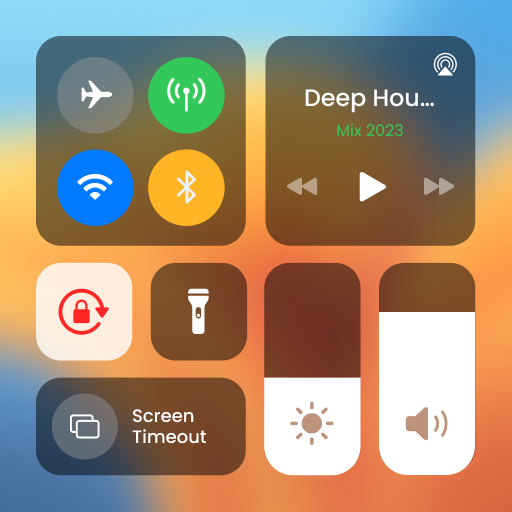
Control Center Simple
Rating breakdown
TL;DR
- The app "Control Center Simple" aims to provide users with a convenient way to manage device settings and access frequently used apps. - Overall sentiment is positive, with a high percentage of 5-star reviews. However, there are notable concerns regarding excessive ads, functionality issues, and misleading claims. - Key strengths include ease of use (for some users) and the potential to customize the control center. - Key weaknesses include intrusive advertising, functionality bugs, potential misrepresentation of the app's capabilities (iOS theme), and accessibility setup confusion. - Overall Rating: High (based on review scores), but with significant caveats. - Score Distribution: 5-star (81%), 4-star (7%), 3-star (2%), 2-star (5%), 1-star (5%).
Customer Reviews (100)
good
fiteex
Rajib debnath
Data & Methodology Overview
- Data Sample Size: 100 reviews
- Time Frame: Not specified (assumed recent based on version number)
- Analysis Methods: Manual review of individual reviews to identify sentiment, recurring themes, pain points, and feature requests. Keyword extraction was performed mentally to identify common terms and phrases.
Key User Pain Points
- Excessive Ads: Several users complained about too many ads, with some stating they cover a significant portion of the screen. This negatively impacts the user experience.
- Functionality Issues: Some users reported that certain functions, such as the sound button, do not work. This reduces the app's utility.
- Misleading Claims/Expectations: Some users expected the app to transform their Android phone into a complete iOS theme. The app seems to fall short of these expectations, leading to disappointment.
- Accessibility Settings Confusion: Several users expressed confusion about the accessibility settings required for the app to function correctly.
- Language Support: One user mentioned the lack of Arabic language support as a negative.
- Performance Issues: One user reported the app takes a while to load.
Frequently Requested Features
- Full iOS Theme Transformation: Some users desire the app to completely transform their Android device's interface to resemble iOS.
- Improved Functionality & Bug Fixes: Users expect all advertised features to work as intended.
- Less Intrusive Advertising: A way to remove or significantly reduce the frequency and intrusiveness of ads.
- More Customization Options: Potential requests for more customization weren't explicitly stated, but implied by the desire for a full iOS theme.
Strengths and Positive Aspects
- Ease of Use: Some users find the app easy to use.
- Customization: Users appreciate the ability to customize the control center with their favorite apps.
- Convenience: The app provides quick access to various settings and functions.
- Simple Interface: The description claims a user-friendly interface, and some users echo this sentiment.
- Appearance Customization: The ability to adjust color, height, and width is appreciated.
Prioritized Action Recommendations
High Priority:
- Reduce Ads: Implement less intrusive advertising methods (e.g., banner ads instead of full-screen interstitials) or offer a paid ad-free version.
- Fix Bugs: Address the reported functionality issues, particularly the non-functional sound button and any other features that are not working as expected.
- Clarify App Functionality: Revise the app description to accurately reflect its capabilities and avoid misleading users into thinking it will completely transform their Android device into an iOS device.
Medium Priority:
- Improve Accessibility Onboarding: Provide clearer instructions and guidance on enabling and configuring accessibility settings.
- Address Performance Issues: Optimize the app to improve loading times and overall performance.
- Expand Language Support: Consider adding support for more languages, such as Arabic, to cater to a wider audience.
Low Priority:
- Explore Full iOS Theme Integration: If technically feasible and aligned with the app's goals, explore options for deeper iOS theme integration (while being transparent about limitations).
Opportunities for Startup Ideas
- Accessibility-Focused Control Center: A control center app specifically designed for users with disabilities, offering highly customizable controls and accessibility features.
- Modular Control Center: An app that allows users to create custom control centers with only the features they need, minimizing bloat and improving performance.
- Themed Control Center Marketplace: A platform where users can download and share custom control center themes, including iOS-inspired themes, while ensuring transparency and avoiding misleading claims.
- Ad-Free Control Center Subscription Service: Offer a premium subscription service that provides an ad-free experience and potentially includes additional customization options.
Trends and Observations
- Desire for iOS Aesthetics: There's a clear desire among some Android users to replicate the look and feel of iOS on their devices.
- Positive Sentiment Skewed by Forced Ratings: One review explicitly mentioned being prompted to leave a 5-star rating. This suggests that the overall rating may be artificially inflated.
- Varied English Proficiency: Some reviews exhibit non-standard English, indicating a diverse user base.
- Redundant Positive Reviews: Many 5-star reviews are short and lack specific feedback ("good," "nice"). This makes it difficult to extract actionable insights from these reviews.
Conclusion
"Control Center Simple" has the potential to be a useful tool for Android users. However, the app suffers from issues with excessive advertising, functionality bugs, and misleading claims. Addressing these issues and focusing on transparency and user experience will be crucial for improving the app's reputation and success. It is recommended to prioritize bug fixes, ad reduction, and clearer communication of the app's features.
Original App Link
https://play.google.com/store/apps/details?id=com.tools.control.center.simplecontrol
Want the same teardown for your app?
Paste any App Store or Google Play link and get an AI report of user pain points, requested features, and startup opportunities — in minutes.